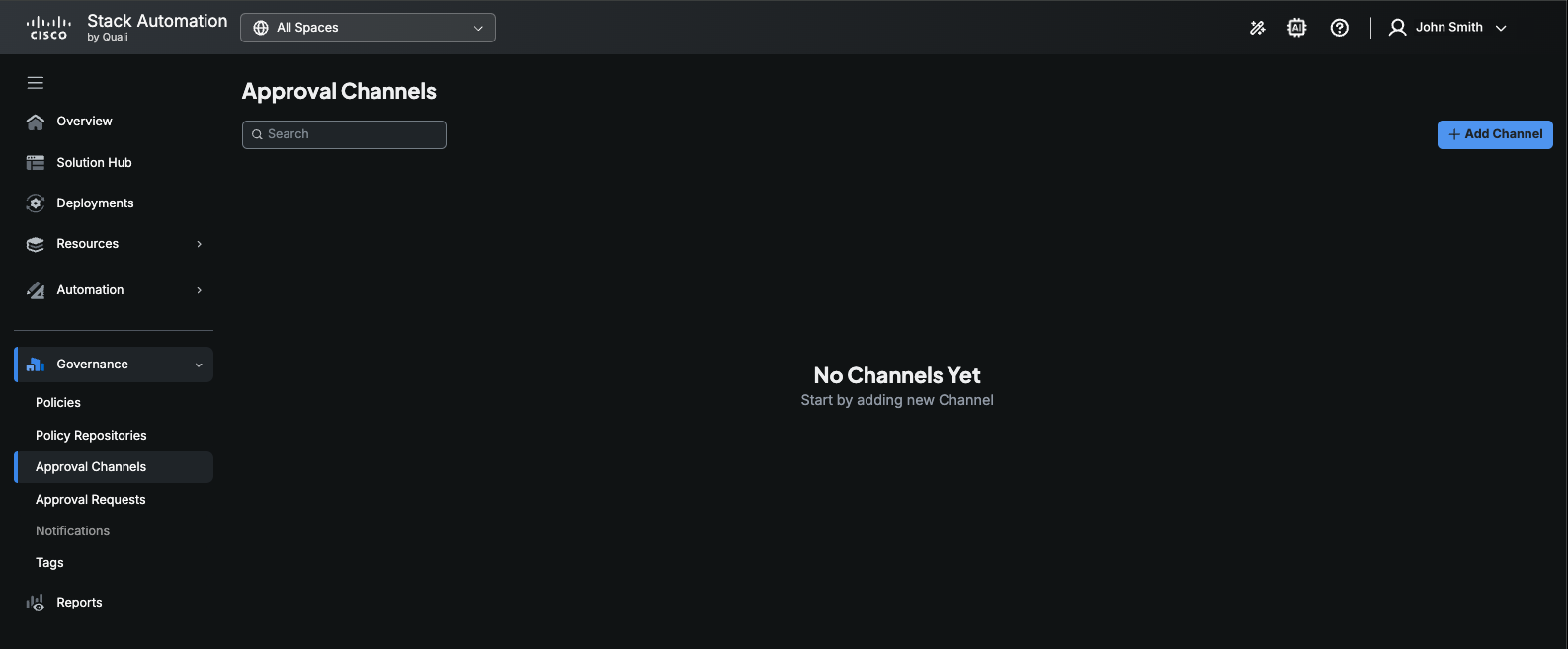
Approval Channels
Stack Automation role: Account admin
While organizations typically want to enable their users to deploy solutions quickly and easily, in certain situations it may be necessary to put guardrails in place to ensure compliance with security policies or budget constraints. Defining an approval flow can provide an effective way to balance the need for agility and control.
Stack Automation's Approval channels define the users who can approve deployment launch requests. An approval channel is basically a list of users. Currently, Stack Automation supports 4 approval channels - Teams, Webex, Emails, and ServiceNow.
To create an approval channel:
- Make sure to select All Spaces in the space selection dropdown.
- Go to Governance > Approval Channels.
- Click Add Channel.
- Give the approval channel a Name and optionally a Description.
- Select the channel - Teams, Webex, Email or Service Now.
- For Teams and Webex, enter the Webhook address.
- Select the Approvers.
- Click Save.