Deployment Publishing
Overview
The Deployment Publishing feature provides infrastructure teams with the capability to share deployments across projects or spaces that possess distinct lifecycles. This functionality facilitates the seamless dissemination of deployments for consumption by other deployments, thereby optimizing resource utilization and enhancing dependency management.
Concept
Deployment Publishing establishes a mechanism to designate a deployment as "published," thereby rendering it accessible for reuse across different spaces or within the same space. Published deployments can function as foundational inputs for the deployment of other deployments, thus promoting a cohesive integration among interdependent deployments.
Key Concepts
- Lifecycle Management: While published deployments retain independent lifecycle governance, they remain accessible as inputs for use in other deployments, supporting a structured approach to lifecycle dependencies.
- Publishing State: Deployments can be toggled between "published" and "unpublished" states, indicating their availability for cross-space consumption.
- Visibility Control: The scope of visibility for a published deployment can be explicitly defined to include either all spaces or a subset of specified spaces.
- Blueprint Design: Blueprints may declare references to published deployments, facilitating the integration of shared resources during deployment instantiation.
- Deployment Reuse: Published deployments are referenceable and reusable across multiple deployments, thereby mitigating redundancy and reducing complexities in dependency management.
Usage
Publishing a Deployment
To publish a deployment:
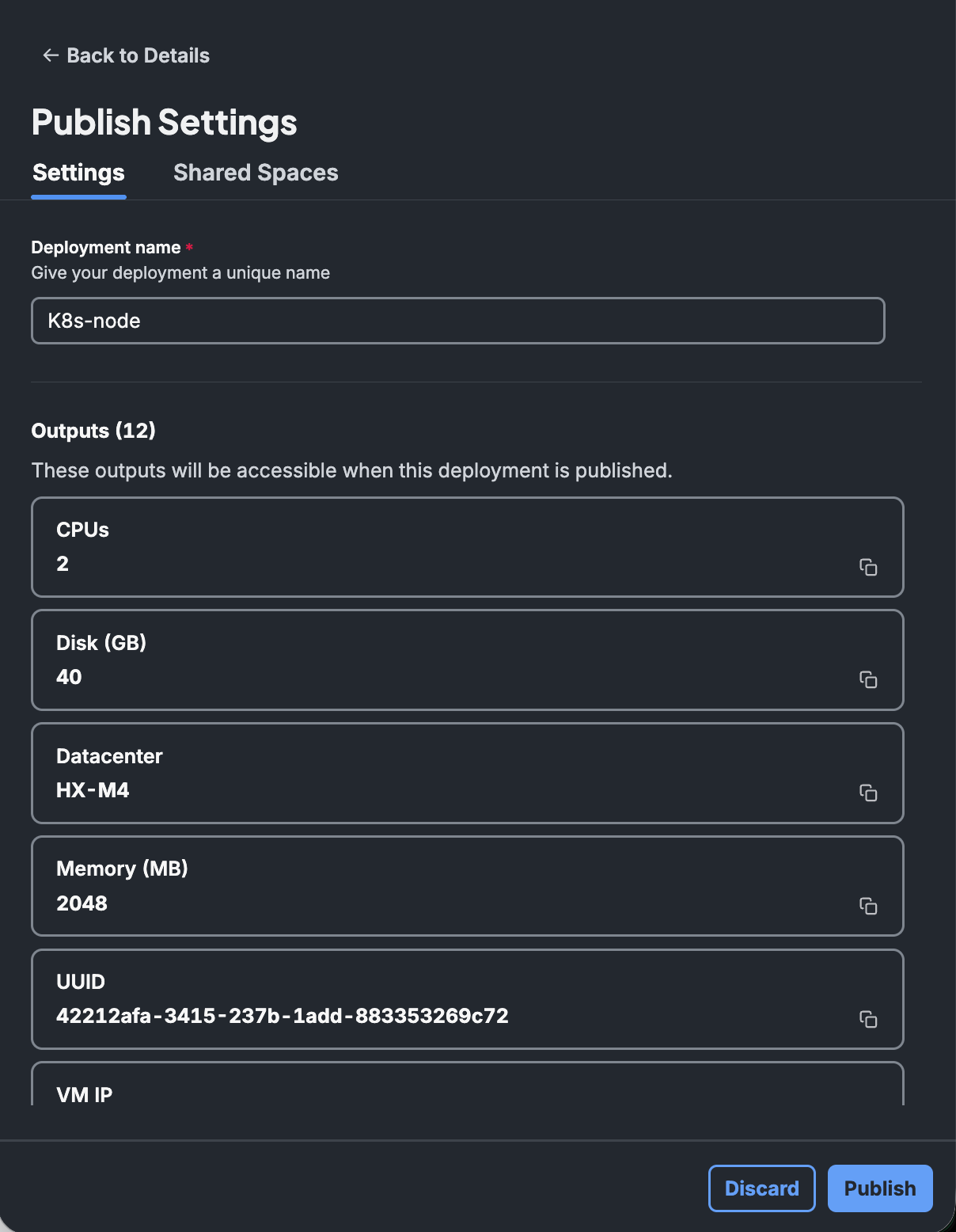
- Utilize the API or the user interface (UI) to designate a deployment as published.
- Configure the accessibility scope:
- All Spaces: Grants access to the deployment across all spaces within the account.
- Specific Spaces: Restricts access solely to the designated spaces.
- Optionally, rename the deployment to ensure uniqueness across all published deployments. While uniqueness is not strictly mandated, it is considered a best practice to avoid naming collisions.
- Ensure that the deployment is in either the "Active" or "Updating" state before publishing, as only deployments in these states can be published.
When a deployment is published, it is automatically available within its source space. Additional spaces may be specified as required.
Unpublishing a Deployment
- Utilize the dedicated API or UI to unpublish a deployment.
- If the deployment maintains active connections to other deployments, a warning will be issued; however, the unpublishing operation will still proceed.
- Deployments are automatically unpublished upon their termination.
Referencing Published Deployments
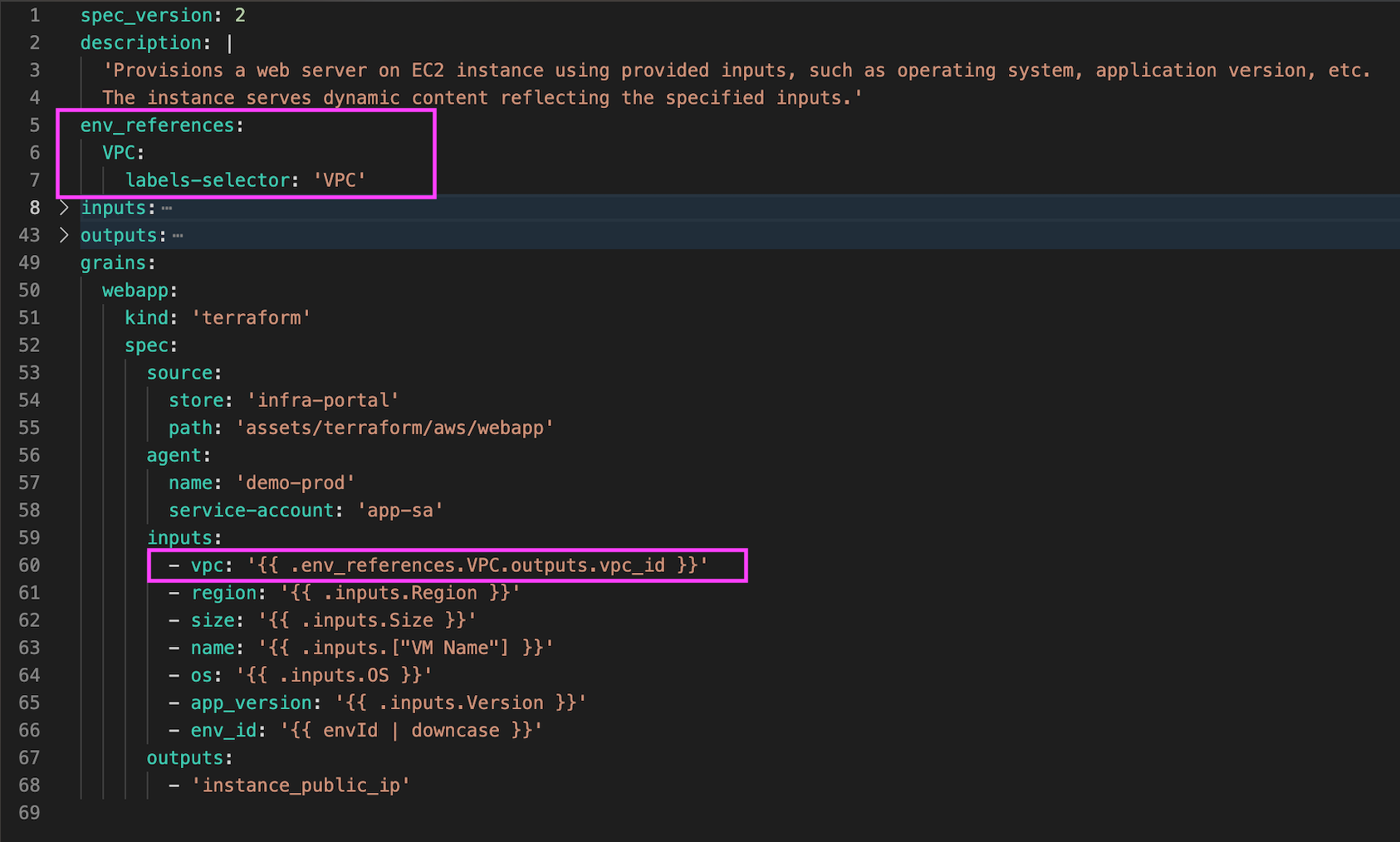
Published deployments may be employed as inputs within blueprints through the definition of deployment references in the blueprint YAML. Such references allow the consuming deployment to dynamically establish links to the published deployment.
Optionally, the deployment reference may include label-based filters to restrict selection to deployments meeting specific criteria (e.g., specifying a "cluster" label to select a Kubernetes cluster).
Blueprint example
spec_version: 2

description: |
  'Provisions a web server on EC2 instance using provided inputs, such as operating system, application version, etc.
  The instance serves dynamic content reflecting the specified inputs.'

env_references:
  VPC:
    labels-selector: 'VPC'

inputs:
  Region:
    type: 'string'
    allowed-values:
      - 'eu-west-1'
      - 'eu-central-1'
      - 'us-east-1'
    description: 'The name of the AWS Region to use'
  VM Name:
    type: 'string'
    default: 'Webapp'
    pattern: '^[a-zA-Z0-9._-]{1,256}$'
    validation-description: 'VM name must have between 1 and 256 alphanumeric characters, hypens, underscores and dashes only.'
    description: 'The name of the underlying EC2 instance in AWS'
  Size:
    type: 'parameter'
    parameter-name: 'size'
    description: 'The EC2 instance type'
  OS:
    type: 'string'
    allowed-values:
      - 'Windows Server 2016'
      - 'RHEL 7'
      - 'RHEL 8'
      - 'RHEL 9'
      - 'Ubuntu 20.04'
      - 'Ubuntu 22.04'
    description: 'The type of operating system and corresponding AMI to use in the EC2 instance'
  Version:
    depends-on: 'OS'
    type: 'input-source'
    source-name: 's3'
    overrides:
      - json_path: '$.{{ .inputs.OS | split: " " | first % }}[*]'
    description: 'Application Version'
outputs:
  Address:
    value: 'https://{{ .grains.webapp.outputs.instance_public_ip}}'
    quick: true
  VPC_ID:
    value: '{{ .env_references.VPC.outputs.vpc_id }}'

grains:
  webapp:
    kind: 'terraform'
    spec:
      source:
        store: 'infra-portal'
        path: 'assets/terraform/aws/webapp'
      agent:
        name: 'demo-prod'
        service-account: 'app-sa'
      inputs:
        - vpc: '{{ .env_references.VPC.outputs.vpc_id }}'
        - region: '{{ .inputs.Region }}'
        - size: '{{ .inputs.Size }}'
        - name: '{{ .inputs.["VM Name"] }}'
        - os: '{{ .inputs.OS }}'
        - app_version: '{{ .inputs.Version }}'
        - env_id: '{{ envId | downcase }}'
      outputs:
        - 'instance_public_ip'
API Support
A range of APIs is available to support the following operations:
- Retrieval, publication, unpublication, and update of publishing details.
- Validation of deployment name uniqueness among published deployments.
- Filtering of deployments based on their publishing state.
- Retrieval of outputs from published deployments for reference.
System Label for Published State
The Published property is available as a system label, facilitating the filtering and tracking of published deployments.
Handling Visibility in Spaces
Deployments are implicitly published within their originating space, with additional spaces optionally specified for broader visibility.
UI and API-based validations mitigate the risks of publishing conflicts and issue warnings in the event of potential naming collisions.
Best Practices
- Unique Naming: Assign unique names to published deployments to prevent conflicts and enhance clarity in resource identification.
- Use Labels: Utilize labels to categorize deployments effectively, thereby enabling dynamic selection during blueprint execution.
- Regular Cleanup: Unpublish deployments that are no longer active or required to minimize clutter and maintain efficient resource management.
API Reference
- Publish Deployment:
POST /environments/{id}/publish - Unpublish Deployment:
POST /environments/{id}/unpublish - Get Published Deployments:
GET /environments?filter=isPublished:true - Update Publishing Info:
PATCH /environments/{id}/publish-info - Retrieve Outputs:
GET /environments/{id}/outputs