Deployment Labels
Overview
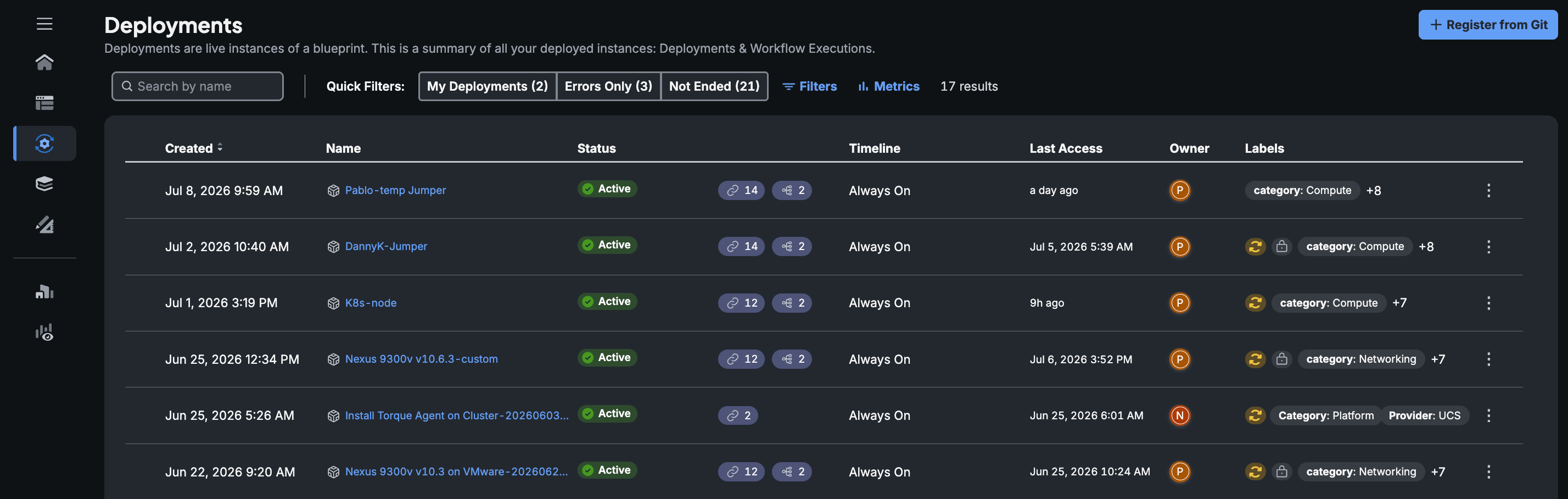
Deployment Labels are metadata tags that can be assigned to different deployments within your deployment infrastructure. These labels serve as values or key-value pairs that help organize, manage, and filter deployments efficiently. By attaching labels to deployments, users can easily filter, categorize and identify deployments based on various criteria such as purpose, region, or application stage.
Concept
Each deployment label is a value or a combination of a key and a value. For example, a label could be purpose:production, where "purpose" is the key and "production" is the value. Another example can be 'Kubernetes' as a value of a label indicating the deployment is a Kubernetes cluster.
Deployment Labels in Stack Automation are a powerful tool to streamline deployment management by allowing users to tag, filter, and organize deployments effectively. Implementing a consistent labeling strategy will enhance visibility, management efficiency, and collaboration within your organization.
Flexible Categorization
Deployment labels allow you to categorize deployments in any way that suits your organizational needs. Common examples include:
- Deployment Type:
env:production,env:staging,env:development - Project or Application:
project:webapp,project:api - Owner or Team:
owner:devops,team:backend - Region or Location:
region:us-west,region:eu-central
Filtering and Searching
You can filter and search deployments using labels. This is particularly useful when managing a large number of deployments, as it allows for quick identification and retrieval of specific deployments based on the applied labels.
Automation and Scripting
Labels can be utilized in scripts or automation tools to perform operations on specific groups of deployments. For instance, you can create scripts that only affect deployments labeled as env:staging.
Usage
Creating and Assigning Labels
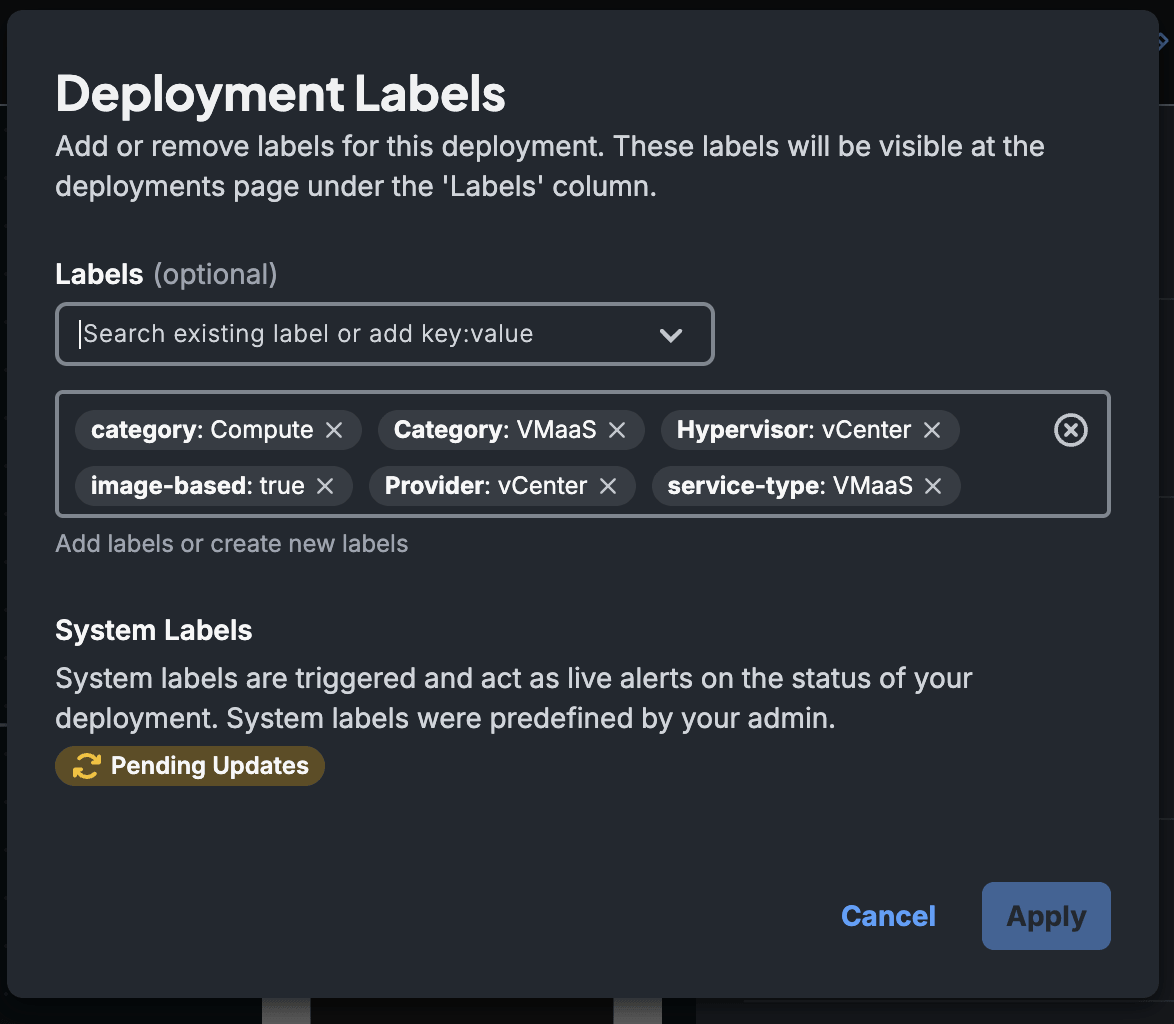
Labels can be assigned when creating a new deployment or added to existing deployments via the Stack Automation dashboard or API.
Best Practices
- It's recommended to establish a consistent labeling strategy within your organization to ensure labels are meaningful and useful.
- Agree on standard keys and values that everyone should use.
There are a few system reserved labels in Stack Automation that are used to mark certain states. Here is a list of the system labels:
Drift DetectedPending UpdatesEaC:ActiveEaC:InactivePower:OnPower:Off
Benefits
- Improved Organization: Keep your deployments organized and easy to manage, especially as the number of deployments grows.
- Efficient Management: Quickly identify and perform bulk operations on deployments with specific labels.
- Enhanced Collaboration: Labels provide clear communication across teams regarding the purpose and status of deployments.