Cost tracking
Stack Automation lets you get proactive about cloud cost optimization. With automatic tags apply to all deployed resources your teams can aggregates cost data based on team, project, or other custom parameters so you can understand ROI and address cost anomalies before you receive the cloud bill.
While tagging is a common practice for adding metadata for deployed infrastructure, it's usually hard to maintain a consistence tagging methodology and ownership. Stack Automation allows centralized control for tags, so administrator can configure the organization tagging methodology in Stack Automation, allowing teams, projects and individuals the flexibility to use tags within that methodology.
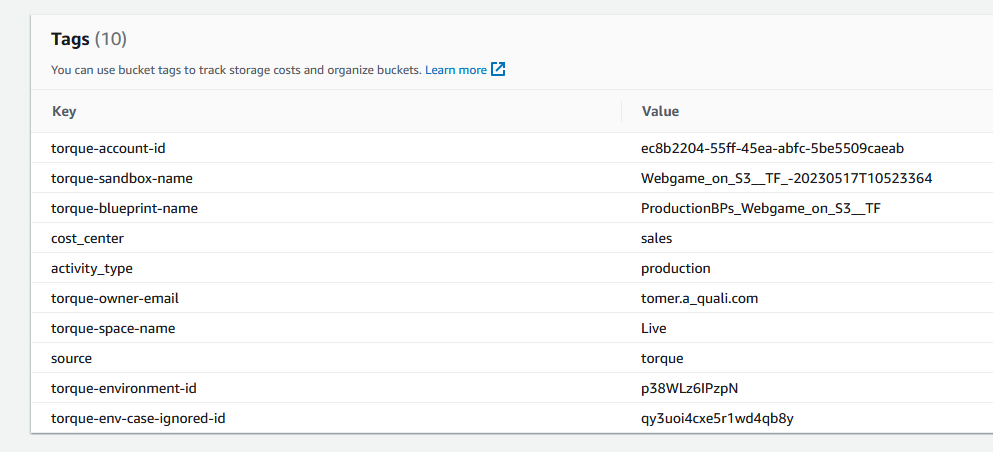
Tags added by Stack Automation are business context that will be attached to any of the deployed resources in a deployment regardless of the automation framework so cloud resources will be consistent and cost information will be aligned between teams, projects, deployments and even between cloud account and cloud providers. Stack Automation will also help you to address the differences between the cloud providers - for example, CP does not allow case-sensitive tagging and Stack Automation will help you with standardizing that by providing best practices from the get go.
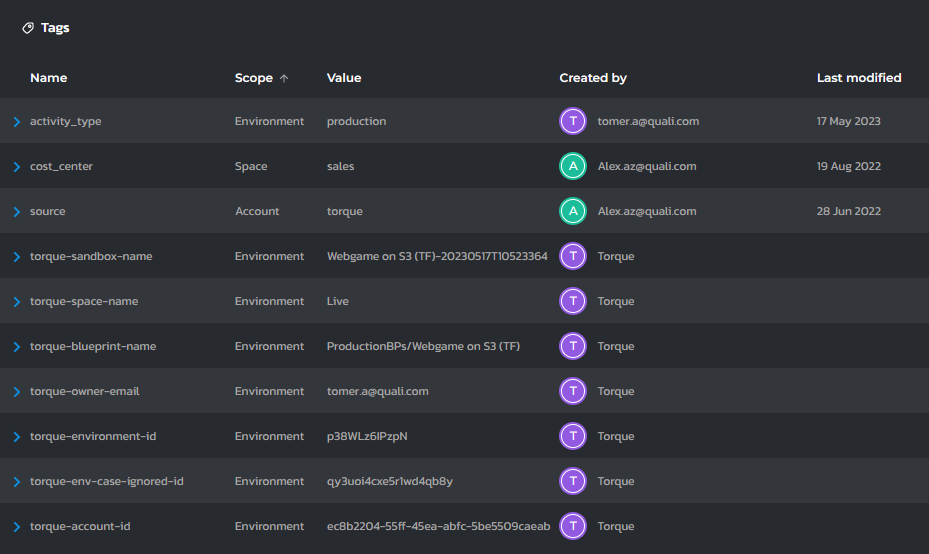
Tags are key-value pairing that are set by Stack Automation to all of the resources and infrastructure entities provisioned by a deployment (example: Owner=John.D@somecompany.com) There are 2 types of tags: System tags and custom tags. System tags are tags that are defined by Stack Automation (for example, deployment id, space name, etc) while the users define the custom tags according to their needs.
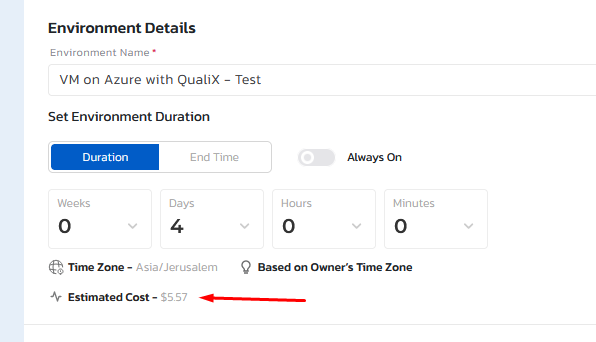
For every launch of the blueprint, Stack Automation will track the overall cost information based on the tagging and the cloud provider cost. This is using the actual cost you are paying the cloud provider and not an estimation. After several launches, the hourly cost will be presented both in the catalog on the blueprint and when a deployment is running, the estimation will be presented in the deployment page. Cost information can be used for policies and approval flows as well as it's captured and passed to Stack Automation OPA integration.